 Hearvia
Mac
Subtitles over any app
An overlay follows all system audio or just one app. Start and stop from the menu bar or the Dock.


Live translated subtitles for anything you hear, on iPhone and Mac.
Hearvia listens to other apps or the microphone and shows subtitles on top of whatever you're doing: videos, podcasts, calls, or the person in front of you.
Free public beta for iPhone and Mac. Needs iOS 27 or macOS 26.4. Version 1.0 is in App Store review.
Listening · English → 中文
Tonight we're looking at how small changes in daily routines can improve sleep.
今晚,我们将探讨日常习惯中的小改变如何改善睡眠。
Features
On your Mac, your iPhone, or an iPhone Duo standing on the table. What you're watching keeps playing.
Mac
An overlay follows all system audio or just one app. Start and stop from the menu bar or the Dock.
iPhone
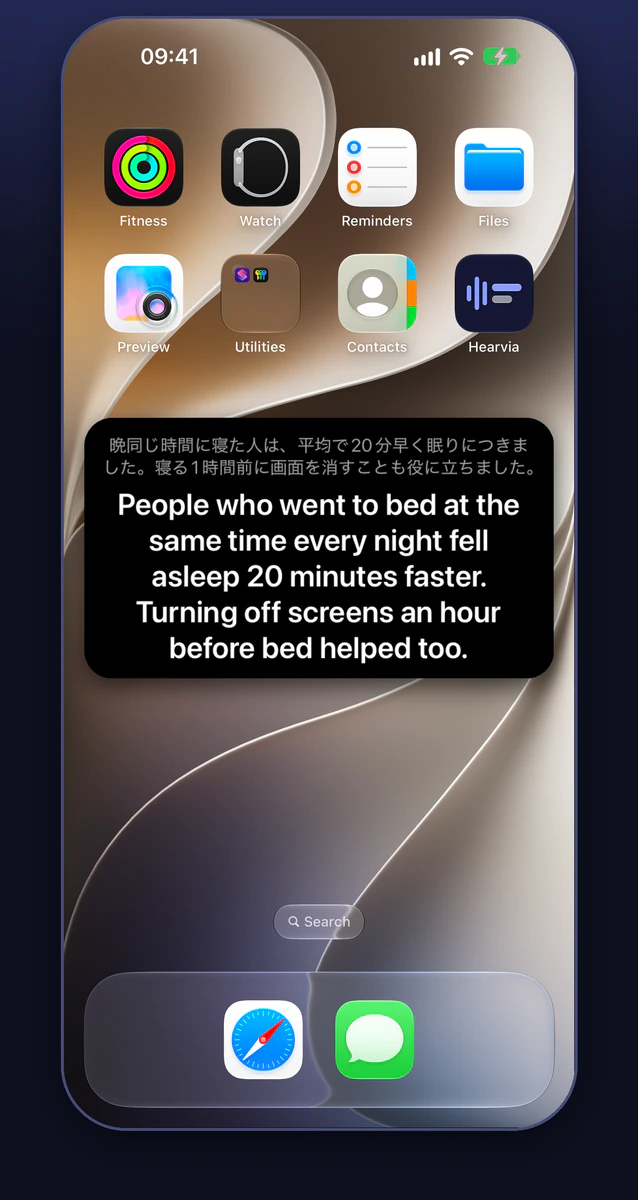
Subtitles float over videos, podcasts and calls. Hearvia doesn't play sound or pause anything.
Conversations
Turn your iPhone sideways and the subtitles fill the screen, easy to read across a table.

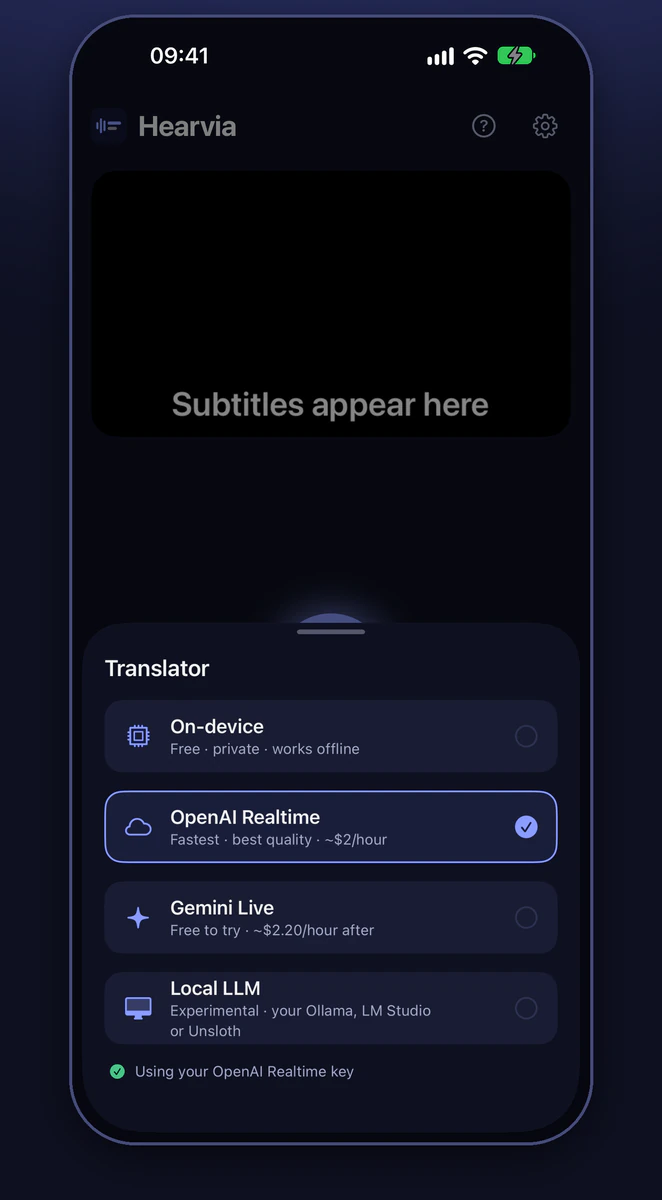
Translators
iPhone Duo
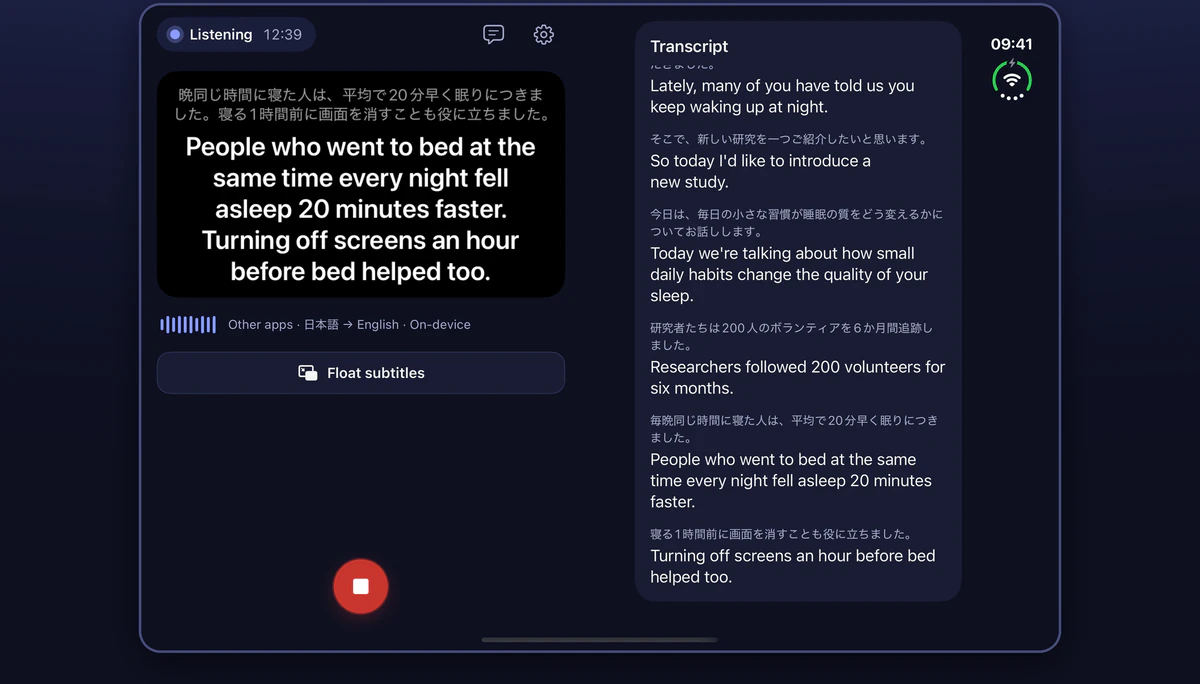
Subtitles on one page and the transcript on the other. Half-fold it and stand it up for the room.
Transcripts
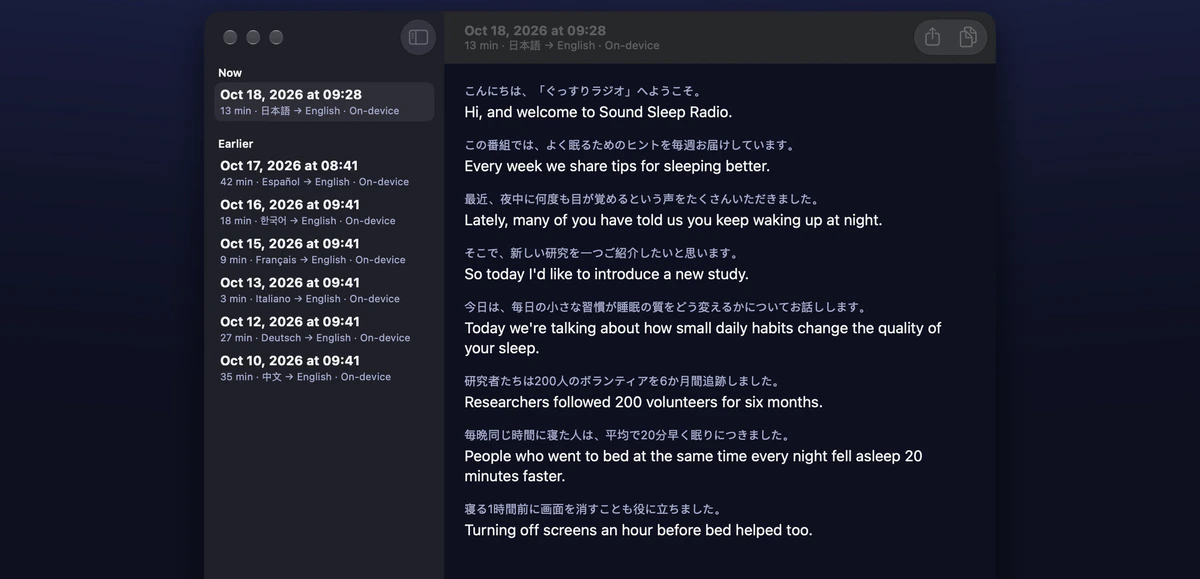
Read, copy or export any transcript later. They stay on your device, or sync through your own iCloud if you turn it on.
Hearvia itself speaks all five, and subtitles can be in Traditional Chinese too.
Hearvia never plays sound or pauses what you're watching. It only listens while you've started it.
On iPhone, start listening from a widget, Control Center, Shortcuts or the app icon.
Privacy
The on-device translator keeps everything on your iPhone or Mac. Audio goes to OpenAI or Google only if you pick their translator and add your own key. Transcripts stay on your device, or in your own iCloud if you turn on sync.
Free on TestFlight for iPhone and Mac. Needs iOS 27 or macOS 26.4.